Creating a ChatGPT Clone with Next.js and Azure OpenAI
Build an AI-powered chat app with image generation using Next.js, Azure AI Foundry, and DALL-E. Learn React state management and API integration.
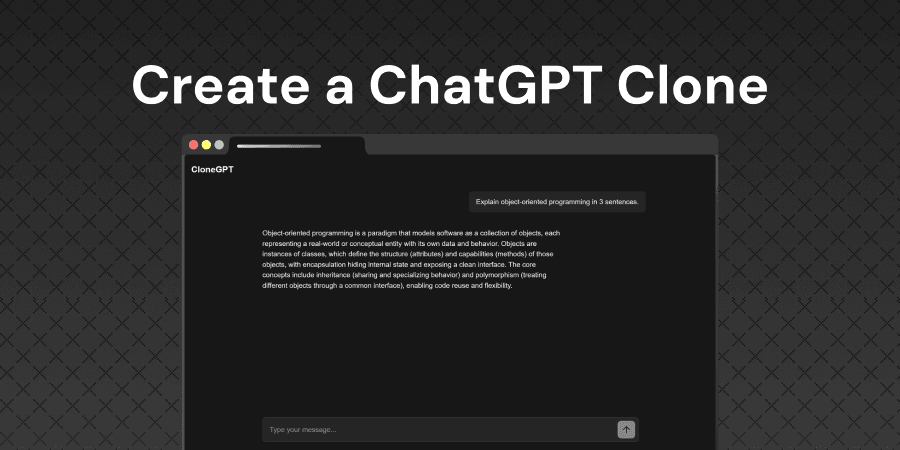
Lab overview
Azure AI Foundry and OpenAI provide powerful AI capabilities that allow developers to integrate conversational AI and image generation into modern web applications. These services enable organizations to build intelligent applications that can understand natural language, maintain context across conversations, and generate custom images from text descriptions, transforming how businesses interact with customers and how individuals create digital content.
In this lab, you will build a complete AI-powered chat application with image generation capabilities using Next.js, Azure AI Foundry, and DALL-E. You'll learn how to integrate AI APIs into web applications, manage conversation state in React, and create multimodal interfaces that seamlessly blend text and visual content.
Objectives
Upon completion of this intermediate level lab, you will be able to:
- Build a conversational AI interface using Azure AI Foundry and Next.js
- Implement multi-turn conversation memory to maintain context across messages
- Integrate DALL-E image generation into a chat application
- Manage complex state in React with arrays and TypeScript interfaces
Who is this lab for?
This lab is designed for:
- Frontend developers wanting to learn React state management and Next.js patterns
- Full-stack developers interested in building AI-powered features
- Computer science students exploring modern web development with AI
- Technical founders building AI-driven products
Verified against your live environment
An automated validation engine inspects your actual resources and configurations as you work. Completion means the task was performed, not multiple choice, real-world proficiency.
More labs like this
Managing Azure Blob Storage Operations with Azure CLI
Learn how to perform essential Azure Blob Storage operations using Azure CLI commands. Practice uploading, downloading, listing, and deleting blobs with batch operations.
Creating a Web App on Azure App Service using Azure Portal
Learn how to create, configure, and deploy a web application using Azure App Service through the Azure Portal's interface.
Azure CLI Essentials: Managing Azure Resources with Command Line Tools
Master Azure CLI essentials by managing resource groups, deploying container apps and VMs, and managing resource states in this hands-on lab.
Related reading
Environment
Every lab includes
- Real environment, pre-credentialed
- Automated checks on every step
- Isolated sandbox, auto cleanup
- AI-recommended next steps
Lab curriculum
- 01
Setting Up Next.js Project
- 02
Building a Single Message Chat Interface
- 03
Adding Multi-Turn Conversation Memory
- 04
Adding AI Image Generation (Optional)
Skills validated
Not the lab you were looking for?
Browse 200+ hands-on labs across AWS, Azure, Kubernetes, Docker, and cloud security.